![FMN_logo_2024.png]](https://support.forgetmenot.chat/hs-fs/hubfs/FMN_logo_2024.png?height=40&name=FMN_logo_2024.png)
▶️ Go to Learning Pathways List and select a Pathway to open the Pathway Overview.
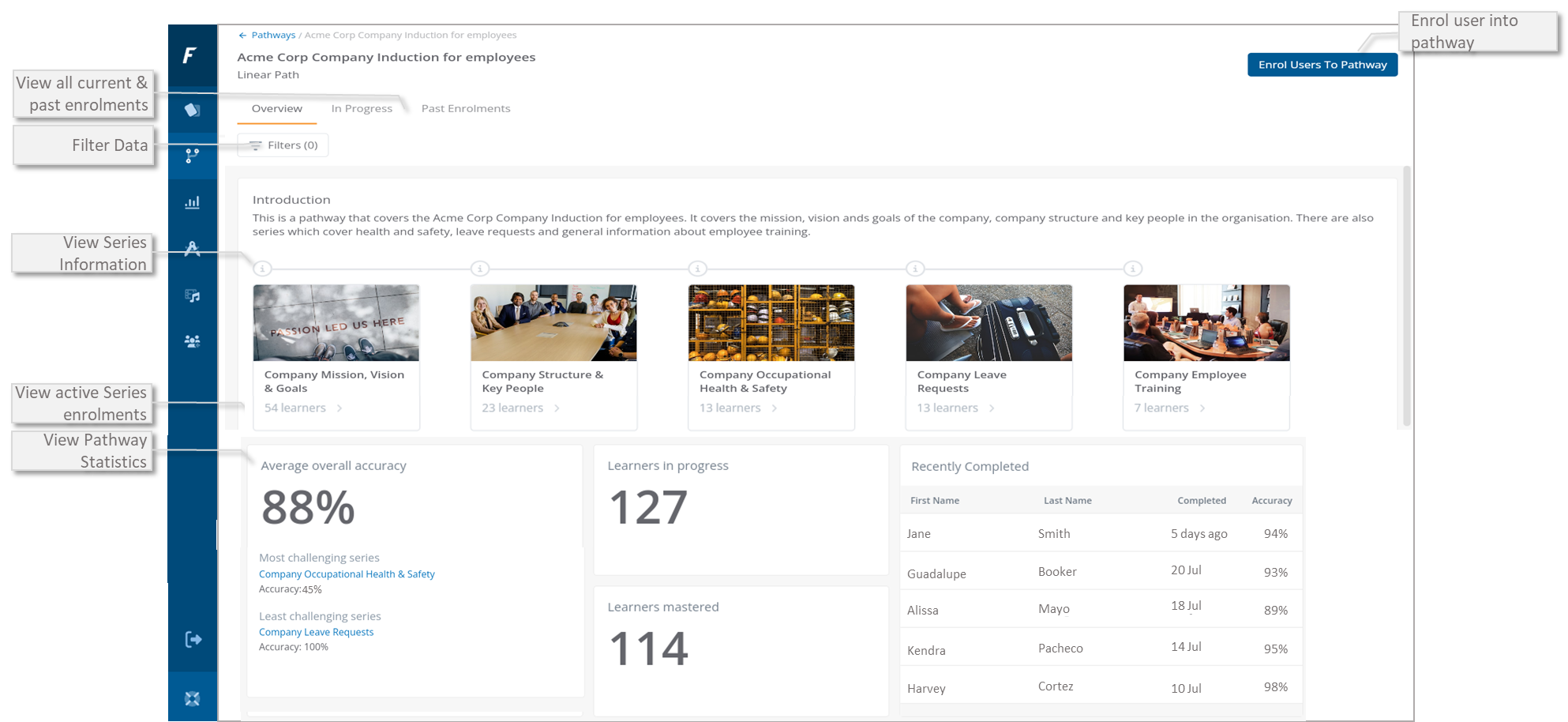
Introduction - General description of the pathway used by console administrators and learners to understand the context and purpose of the pathway
✅ The pathway description and title are shown in the Learner App as part of the pathway overview
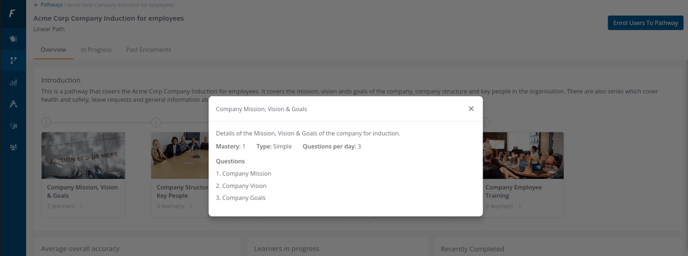
Series Details - Select the ℹ️ on each Series to view details of the series including Mastery Goal, Question per days, the type of questions and a list of question titles
Filter - Apply filters to show only specific enrolments
Pathway Statistics - Find out about general statistics of all pathway enrolments such as:
- Average overall accuracy - This calculates the accuracy of all In Progress and Mastered enrolments across all series in the pathway
- Most and Least challenging series - This is based on percentage accuracy of all In Progress and Mastered enrolments
- Learners in progress - How many learners are enrolled in the pathway that can be either Not Started, No Attempts or In Progress status.
- Learners mastered - How many learners have mastered the pathway
- Recently Completed - Which learners have recently completed the pathway.
In Progress - View a list of all enrolled learners across all series who are currently either Not started, No Attempts or are In Progress in the pathway
Past Enrolments - View a list of all learners across all series who have previously been enrolled in the pathway and have either Mastered, been Withdrawn or are Expired Incomplete. Names and final status of the learners are shown, along with pathway progress percentage, pathway accuracy and the pathway completed date (if mastered) or the date when the pathway ended for all other status
Enrol users into the pathway - Provides the ability to enrol users into the pathway.