![FMN_logo_2024.png]](https://support.forgetmenot.chat/hs-fs/hubfs/FMN_logo_2024.png?height=40&name=FMN_logo_2024.png)
The Question Builder is used to create question content and has the option to add various media types into parts of the questions. To assist with visual layout and formatting checks the Question Previewer is provided.
The Question Builder Previewer has two main functions:
- To show the content status of each part of a question
- To show the content as it will be displayed to the learner in the app.
Showing the content status
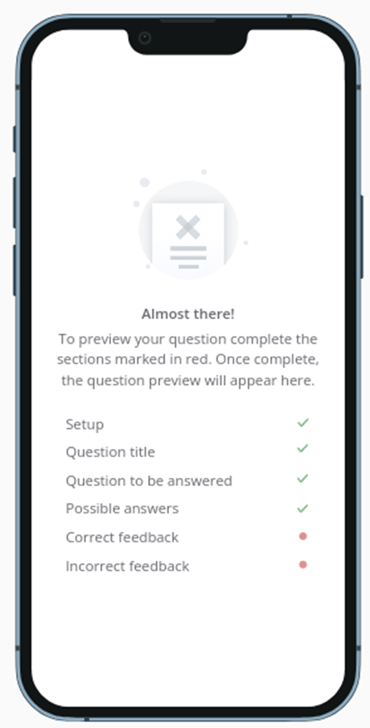
When a question is added and there is missing content, the Question Builder Previewer will show an indication of which parts need content before they can be displayed.
✅indicates the content is filled
🔴 indicate content is empty.
Showing the content like in the app
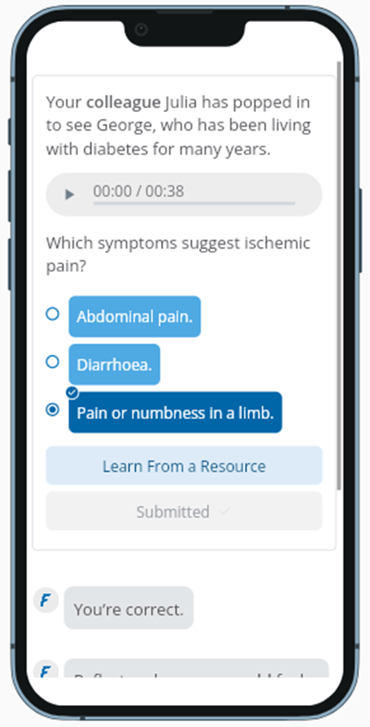
Once all question parts are filled with information and not empty, the Question Builder Previewer will show the contents as the learner sees it in the app.
This allows for layout and formatting checks which can then be fixed directly in the Edit Mode using the Question Builder.