![FMN_logo_2024.png]](https://support.forgetmenot.chat/hs-fs/hubfs/FMN_logo_2024.png?height=40&name=FMN_logo_2024.png)
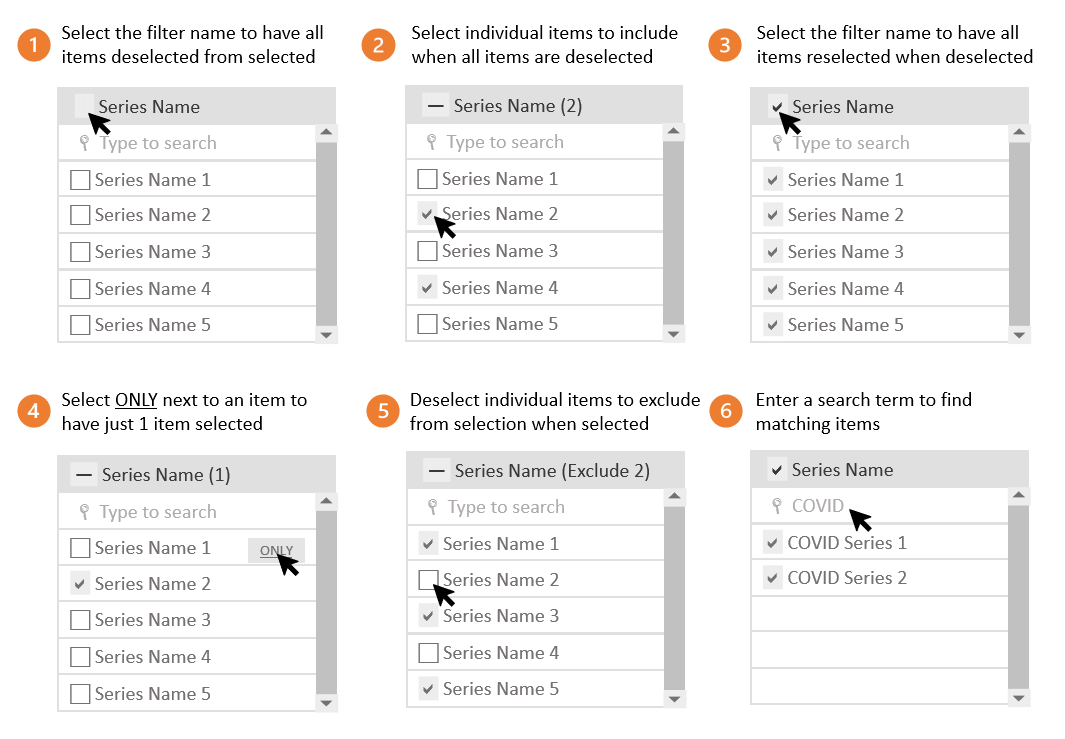
There are a number of different ways filters can be used in Insights Reports and they all can be selected in various ways to filter on specific items such as:
- Deselect All items at once to clear previous selections
- Select items individually to filter results
- Select All items at once to clear previous individual selections
- Select only 1 individual item to include in results and exclude all others
- Deselect individual items to exclude from results
- Search for items using keywords to include in results