![FMN_logo_2024.png]](https://support.forgetmenot.chat/hs-fs/hubfs/FMN_logo_2024.png?height=40&name=FMN_logo_2024.png)
A question set can have learning resources attached to the following question parts:
- Question Prompt
- Correct Feedback
- Incorrect Feedback
Attaching Resources
- Go to Question Studio.
- Select the required Question Set from the list.
- Select Edit to allow changes to the draft.
- Select a Question # from the left-hand navigator.
- Scroll to the desired question part and find the Learning Resources block.
- Then choose Attach Resources.
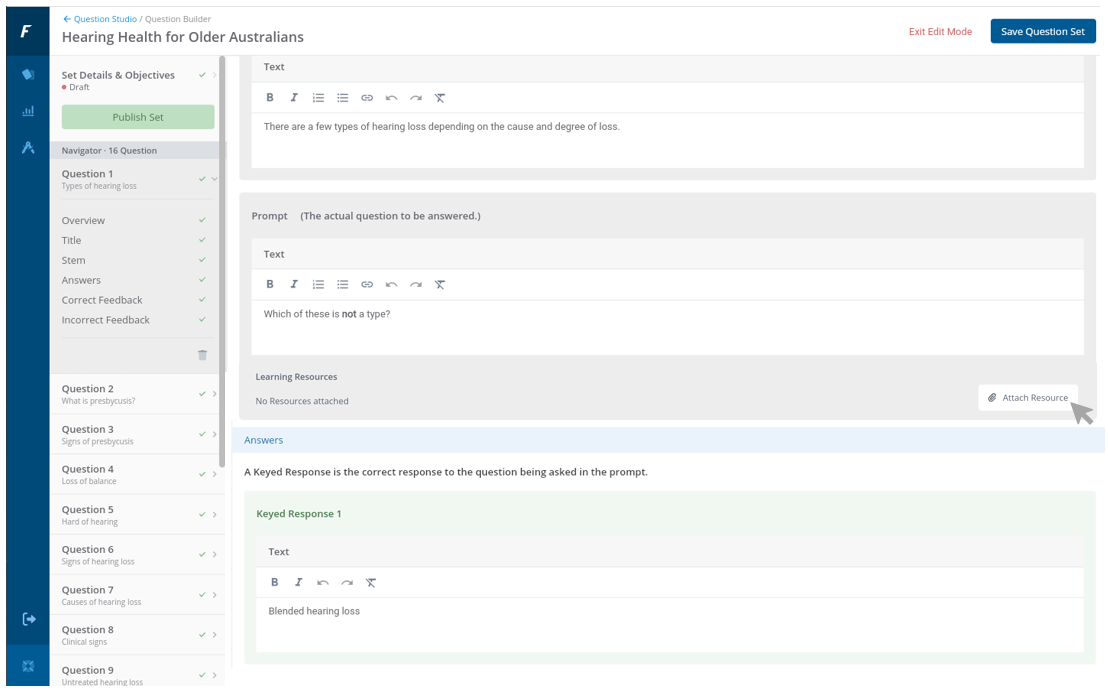
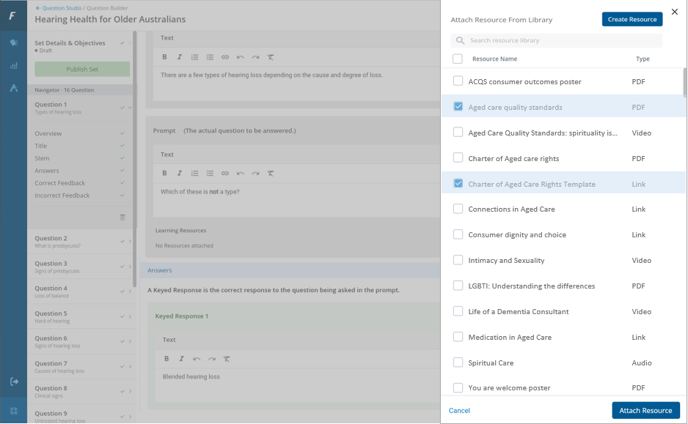
- From the slide-out panel, select 1 or more resources from the list or create a new resource.
- Scroll or search the list to ensure all required resources are found.
- When all required resources are selected (shown with a tickbox), choose Attach Resource.
- The slide-out panel is hidden and the selected resources are listed under the Learning Resources block.
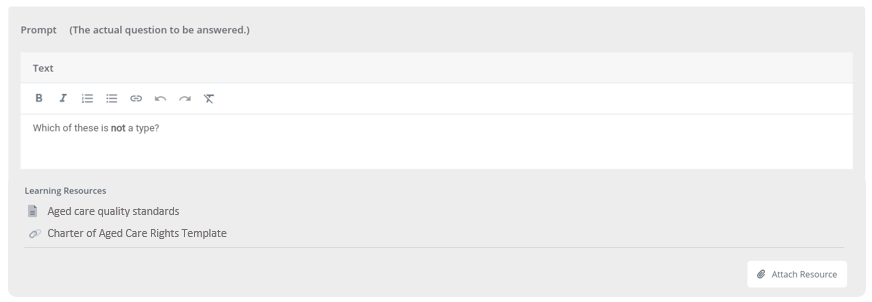
✅ Learning Resources can be removed from a question part one at a time if not required