![FMN_logo_2024.png]](https://support.forgetmenot.chat/hs-fs/hubfs/FMN_logo_2024.png?height=40&name=FMN_logo_2024.png)
Create Resource Collections to share resources with the whole organisation, one or more learner groups or individual learner or guest accounts.
▶️ Select Resources > Collections then select Create Collection to open the side panel and then enter in the relevant resource collection details, then select Create
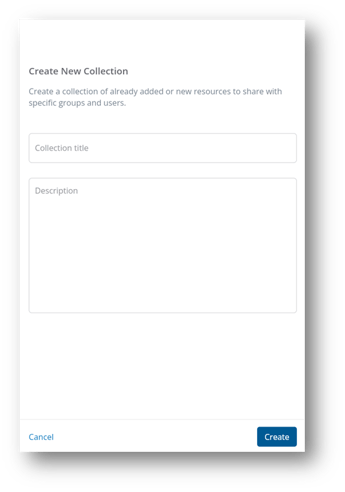
Resource Collection Details
Collection Title
Enter the title for the resource collection. This will be seen by the learner when viewing the list of organisation resources. Ensure the name has enough context that it can be differentiated from other resource collections when shown in the list.
Description
Enter a description for the resource collection. This will be seen by the learner when viewing the list of organisation resources.
✅ Once the Resource Collection is created you can add Resources
✅ Resource Collections are visible to learners from Organisation Resources