![FMN_logo_2024.png]](https://support.forgetmenot.chat/hs-fs/hubfs/FMN_logo_2024.png?height=40&name=FMN_logo_2024.png)
The default email invite method is designed to let the FMN system handle all of the communications to the learner, sometimes it it is necessary to take control of the learner communications as part of other learning activities.
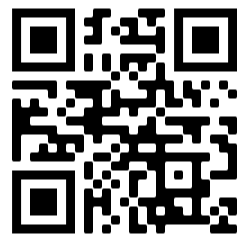
▶️ In order to activate this mode, send invite - No can be used at the time of enrolment. Learner passwords (only for first time users) are emailed to the logged in console user along with the learners email address, this information, combined with the App QR Code or hot link, can be used to get the learners setup with the App on their phone.
Basic steps
The basic steps required are as follows:
- Enrol Learners in the Series using Send Invite - No Invite Method
- Get Learners to:
- scan the App QR Code
- or give them the hot link to download and install the App
- or get them to install the app directly from the app store
- Give Learners their login details (email and password)
- Let learners know which Series you've enrolled them in by providing the Title and even include a cover image.
✅ Use the App QR Code or hot link to get leaners to install the app, the same link works with Apple or Android phones.