![FMN_logo_2024.png]](https://support.forgetmenot.chat/hs-fs/hubfs/FMN_logo_2024.png?height=40&name=FMN_logo_2024.png)
When editing or authoring questions that require audio support where the written text is also provided as audio, for learners who like to listen as well as read the question, you can use the built-in Generate Audio with AI function to quickly and easily generate audio based on the provided text.
✅ The AI Audio generator uses a natural female neutral voice. Listen to the sample to see how it sounds.
⚠️ The AI generated audio voice is not changeable and so if other voices are required then consider using other methods to generate audio clips
Generate AI Audio
- Go to Question Studio and create a new question set or select Edit for an existing set
- Go to a particular question and choose a section (e.g. Statement and Prompt, Correct Feedback, Incorrect Feedback) and enter new text or amend the text already entered
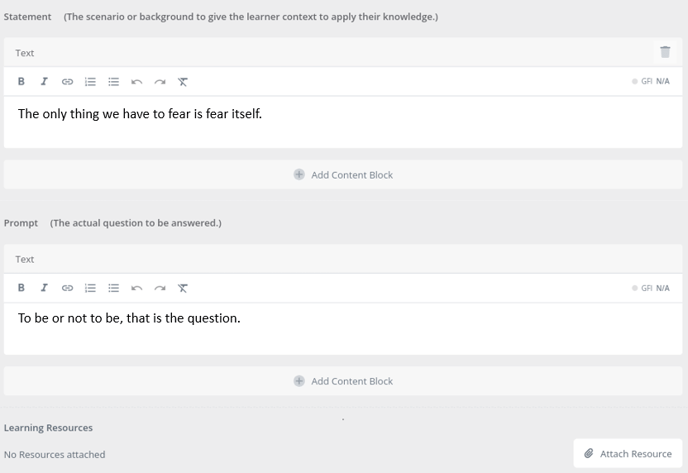
- Select Add Content Block and choose Audio.

- From the different audio options choose Generate Audio with AI.
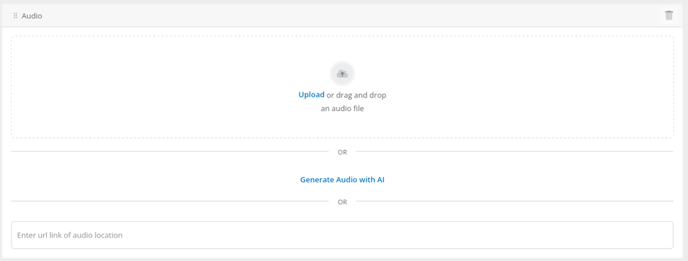
- The AI Audio generator will use the text in the Text Content Blocks to generate and save the audio file. Once completed you can listen to the audio clip.

⚠️ For the Statement and Prompt sections, AI Audio is only generated using the first statement block and the first prompt block. Other text blocks will be ignored.
✅ For Correct and Incorrect Feedback sections all text blocks will be converted to audio
⚠️ If the text has been updated since the AI audio file was generated the system will alert you