![FMN_logo_2024.png]](https://support.forgetmenot.chat/hs-fs/hubfs/FMN_logo_2024.png?height=40&name=FMN_logo_2024.png)
When a Series is created, it is linked to a source Question Set and the Question Set details can be found in a number of places in the Management Console.
- The Series titles are displayed as part of the Create New Series step 1
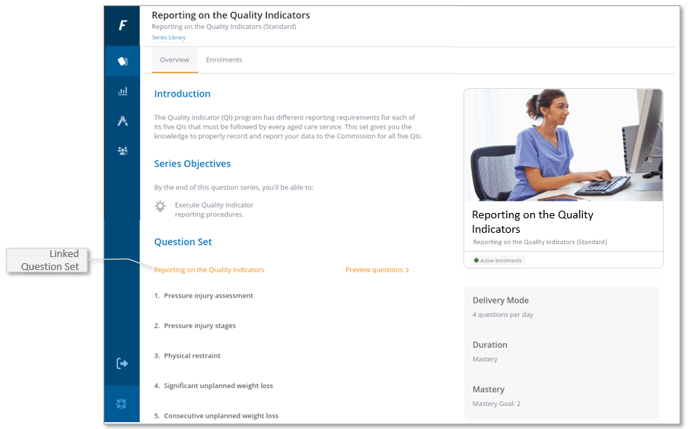
- The Question Set title is displayed as part of the Series Overview information
Series Overview
To find the linked Question set for a Series you can do the following:
- Go to Series Library.
- Open a Series.
- Select Series Overview.
- Locate the 'Question Set' section.
- The linked Question Set title is displayed as shown in the image.