![FMN_logo_2024.png]](https://support.forgetmenot.chat/hs-fs/hubfs/FMN_logo_2024.png?height=40&name=FMN_logo_2024.png)
The Series Library Grid View displays Series cards in a dynamic grid arrangement which is adjusted based on the screen size. It shows the Series cover image, title, subtitle and Series enrolment status.
▶️ Grid View is displayed by default when the Series Library is opened.
Select the Grid View option to change to this view at any time.
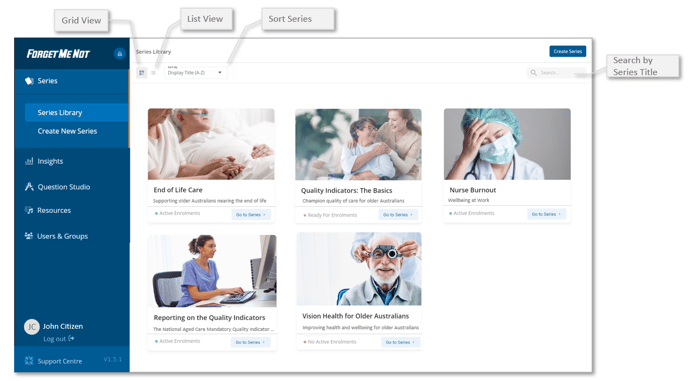
✅ Use Search to filter the view for a specific Series, or Sort by to order the Series by Title A-Z, Reporting Name A-Z or Most Recently added