![FMN_logo_2024.png]](https://support.forgetmenot.chat/hs-fs/hubfs/FMN_logo_2024.png?height=40&name=FMN_logo_2024.png)
The Series Library List View displays Series cards in a list arrangement which can be sorted by any available column. It shows the Series title and delivery parameters such as Mastery Goal and Questions per day.
▶️ Select the List View option to change to this view at any time.
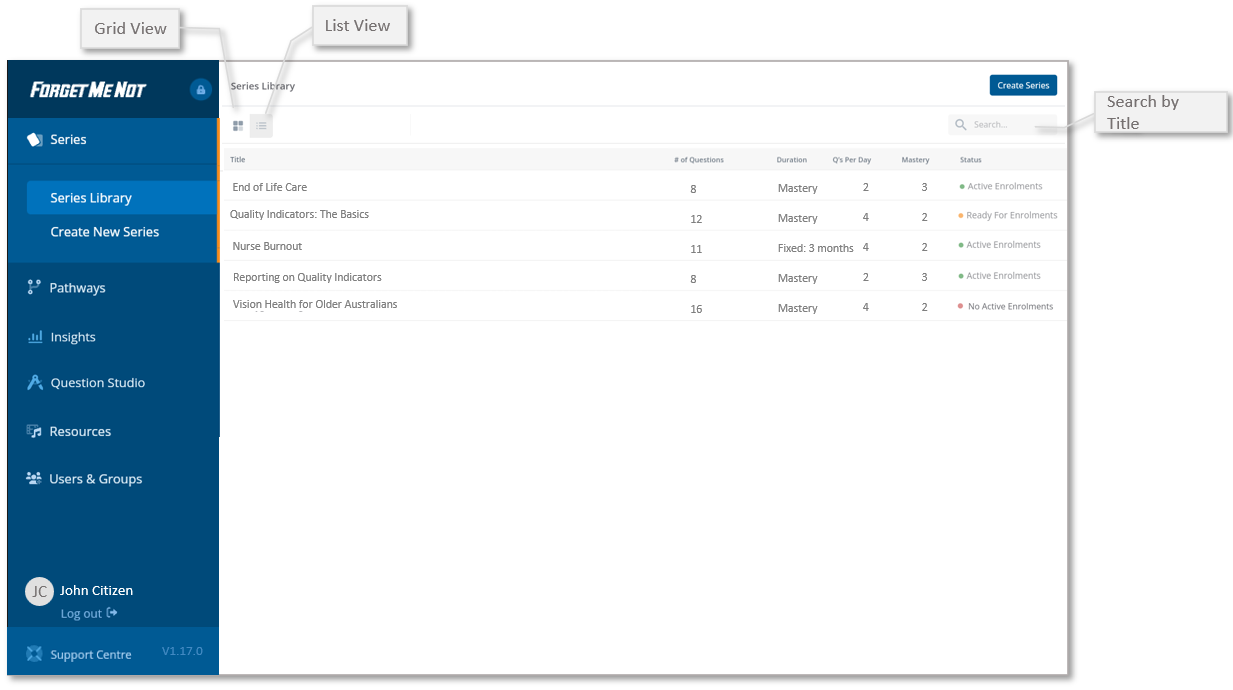
✅ Use Search to filter the view for a specific Series.
Sort the list as A-Z ⬆️ or Z-A ⬇️ by selecting any column heading.