![FMN_logo_2024.png]](https://support.forgetmenot.chat/hs-fs/hubfs/FMN_logo_2024.png?height=40&name=FMN_logo_2024.png)
The bulk action menu is displayed in the enrolments list when multiple enrolments are selected. The menu appears on the menu bar, along with the selection counter, only when multiple enrolment are selected at once.
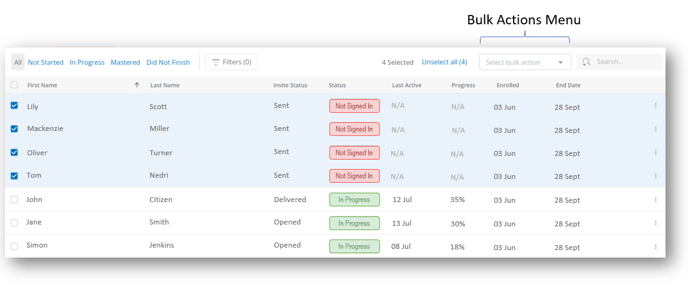
⚠️ If multiple different status are selected, then only common actions will be available and the others will be grayed out
Possible actions for each of the enrolment states are provided from the selection menu.
The following bulk actions options are possible when multiple enrolments are selected
| Enrolment Status | Bulk Actions | Reference |
|
Not Started
|
|
|
| In Progress |
|
|
| Mastered |
|
|
|
Did Not Finish
|
|
|