![FMN_logo_2024.png]](https://support.forgetmenot.chat/hs-fs/hubfs/FMN_logo_2024.png?height=40&name=FMN_logo_2024.png)
If you have already created a simple question set and need to enhance it with features available with Advanced question sets then it's possible to change the set type directly using the Question Builder in Edit Mode.
⚠️Once a question set is changed from Simple to Advanced it is not possible to revert this action
Steps to convert a Simple to Advanced Question Set
- Go to Question Studio.
- Select a Simple Question set and open in Edit Mode
- Go to Set Details & Objectives section
- Select Advanced from the Question Set type menu.
- The warning messages appear.
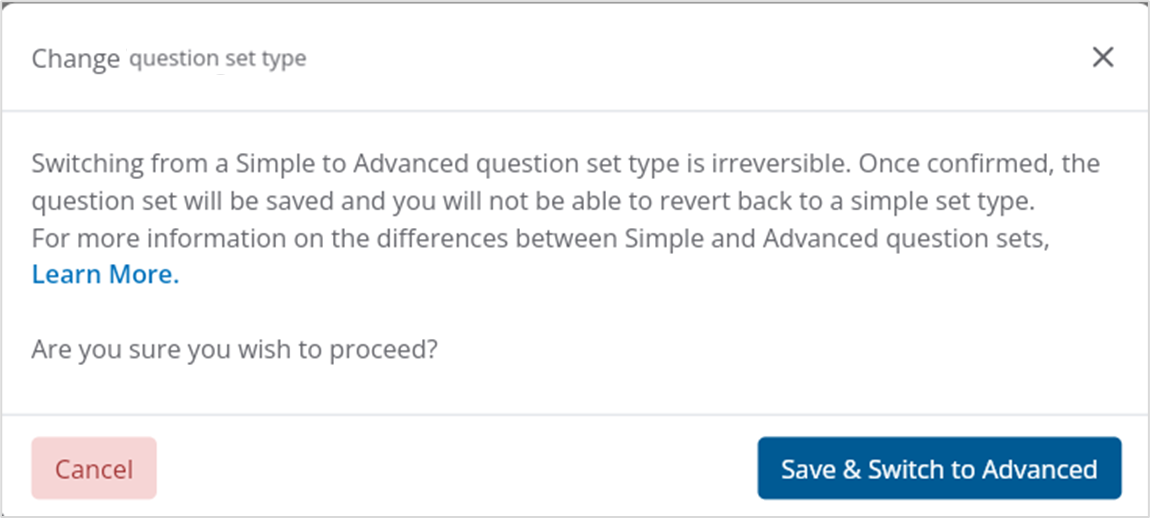
- Review the warning messages and then select Save & Switch to Advanced to continue.
- The question set type will be changed to Advanced and will be shown in the Question Studio.
✅ If you want to retain the original Simple question set, then copy the question set prior to conversion