How to view enrolment details
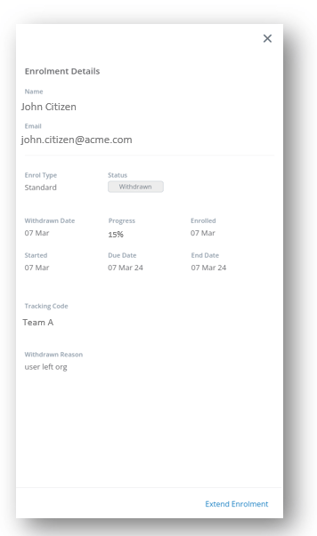
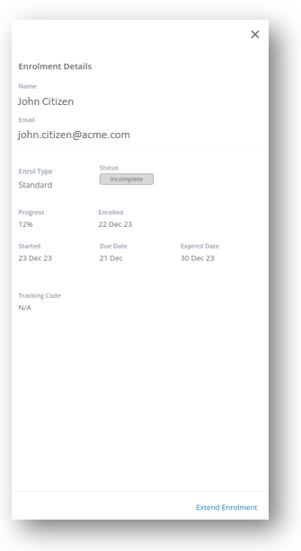
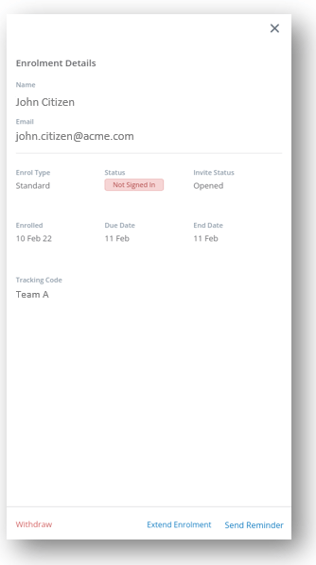
Enrolment details can be viewed in the side panel for a specific enrolment and provide full details about the enrolment and also extra enrolment functions
The enrolment details and functions shown are dependent on the status of the enrolment and relate specifically to the status.
▶️ Go to Series Library and select a series, then go to Series Enrolments and select a specific user's enrolment.
The different enrolment details per status are shown below.
Status - Not Started |
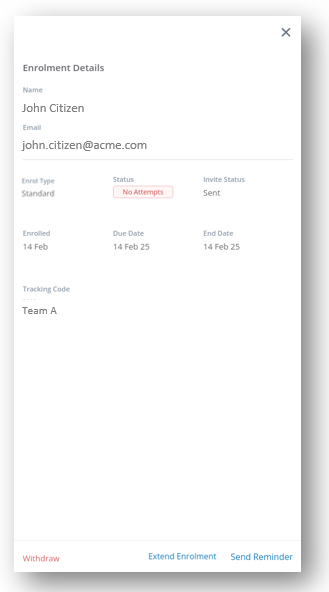
Status - No Attempts |
|
![]() |
![]() |
|
|
View the relevant details as to why the users has not started or not attempted a question such as:
Access extra enrolment functions as:
|
||
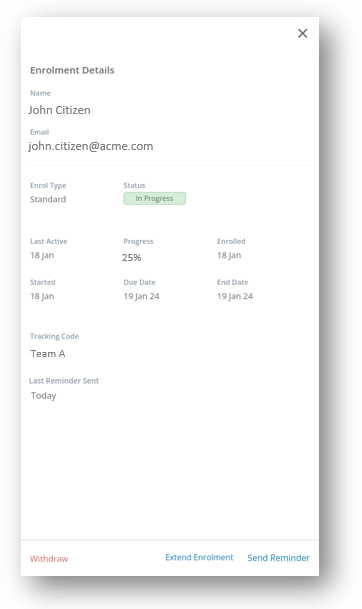
Status - In Progress |
|
|
![]() |
|
|
|
View the relevant details to check on enrolment progress such as:
Access extra enrolment functions as:
|
|
|
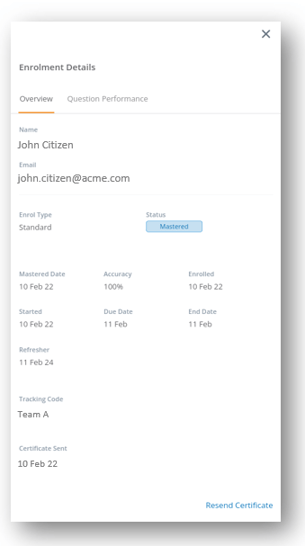
Status - MasteredOverview |
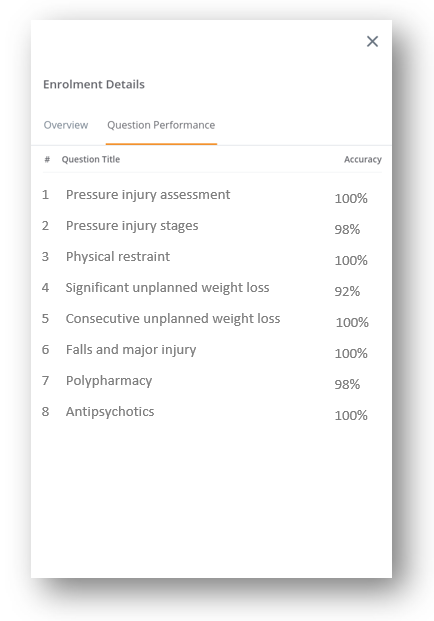
Question Performance |
|
![]() |
![]() |
|
|
View the relevant details such as:
Access extra enrolment functions as: |
View the relevant question performance details such as:
|
|
Status - Withdrawn |
Status - Incomplete / Did Not Start / Never Signed In |
|
![]() |
![]() |
|
|
View the relevant details as to when and why the user was withdrawn such as:
|
View the relevant details as to when and why the user did not finish such as:
|
|