![FMN_logo_2024.png]](https://support.forgetmenot.chat/hs-fs/hubfs/FMN_logo_2024.png?height=40&name=FMN_logo_2024.png)
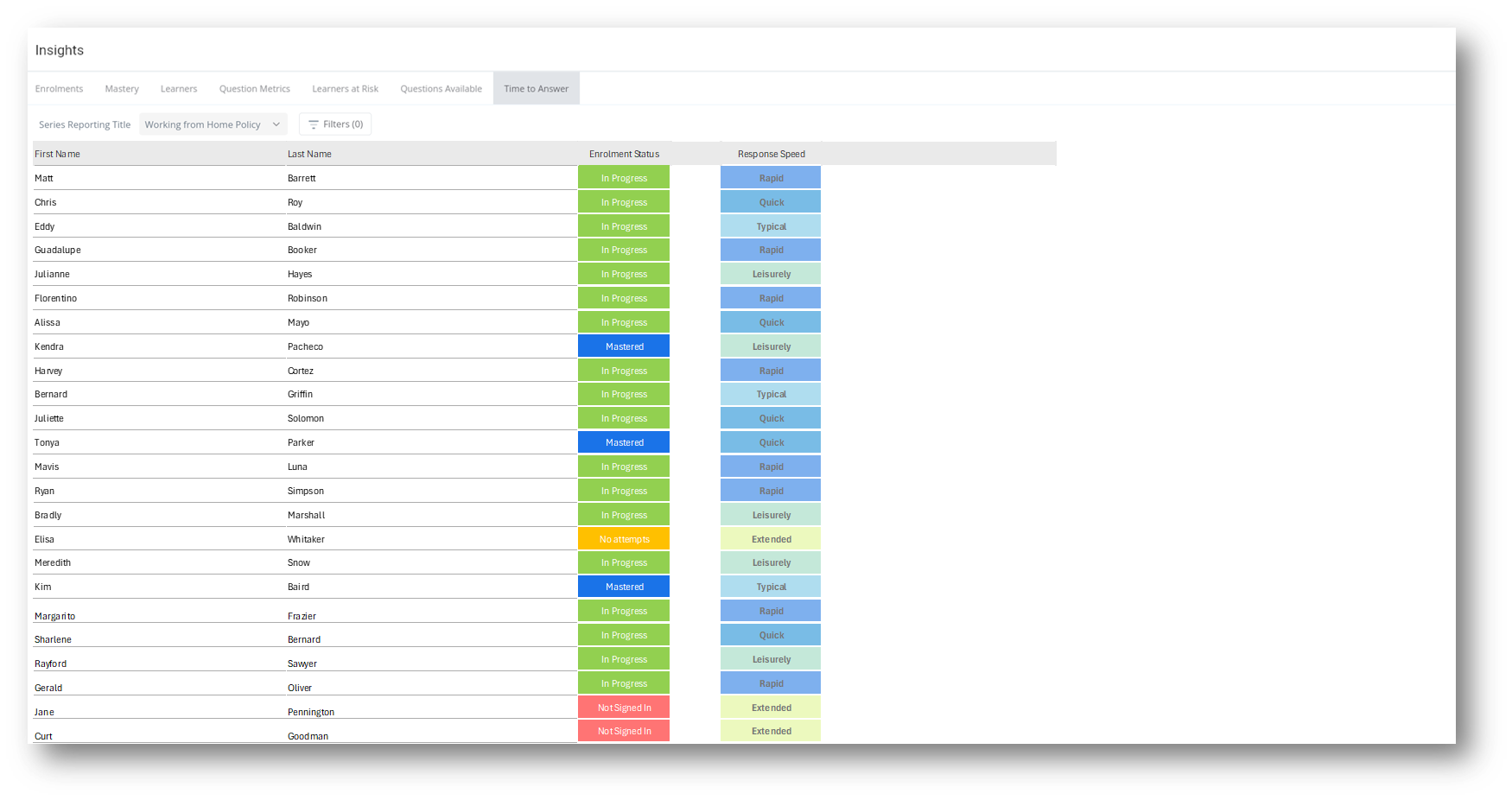
▶️ Select Insights then select Time to Answer using the View Selector on the Insights Reports, then select a specific series to show a list of learners and their response speed.
Time to Answer Report
The time to answer report shows the enrolment status and responsiveness of learners answering questions within enrolments.
⚠️ Time to answer data was only collected from Learner App 2.5.3 and Learner Web 1.11.2 so any enrolments mastered prior Aug 2025 will not show up on the report.
Details
Response Speed - this indicates the responsiveness of the learner when answering available questions in the current session*. The response speed is based on how far a response time deviates from the average response time taken from all enrolments in the series.
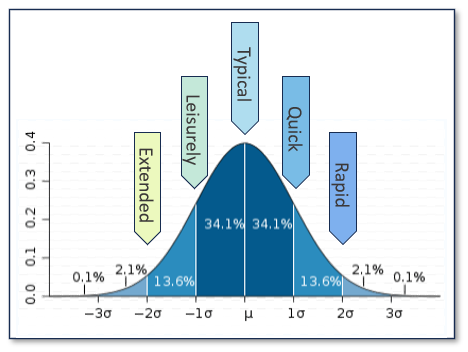
Standard deviations are used to categorise whether a learner's response time was slower or faster than typical behavior.
⚠️ As Response Time is calculated based on all enrolments in the series a learners response speed could be adjusted over time. For example they may initially show as Quick and then overtime be shown as Typical
For example:
- Rapid : +47.7% faster than the average learner
- Quick : 34.1% to 47.6% faster than the average learner
- Typical : The average response time ± 34%
- Leisurely : 34.1% to -47.6% slower than the average learner
- Extended : -47.7% slower than the average learner
The graph shows the same details in a visual representation to assist with understanding of the response speed values
✅ Note: A session refers to the daily questions presented to a learner based on the timing of previous answers or the stage of question release in the series.
Refer to understanding how questions are delivered to learners
✅ Select a column heading to sort in ascending order, select again to sort in descending order
⚠️ Reports show all enrolments except for any where Series Preview mode was selected during the enrolment