![FMN_logo_2024.png]](https://support.forgetmenot.chat/hs-fs/hubfs/FMN_logo_2024.png?height=40&name=FMN_logo_2024.png)
▶️ Select Mastery using the View Selector on the Insights Reports. Content can be further filtered by using Tracking Code, Group, Mastered Date or by selecting a specific Series from the list.
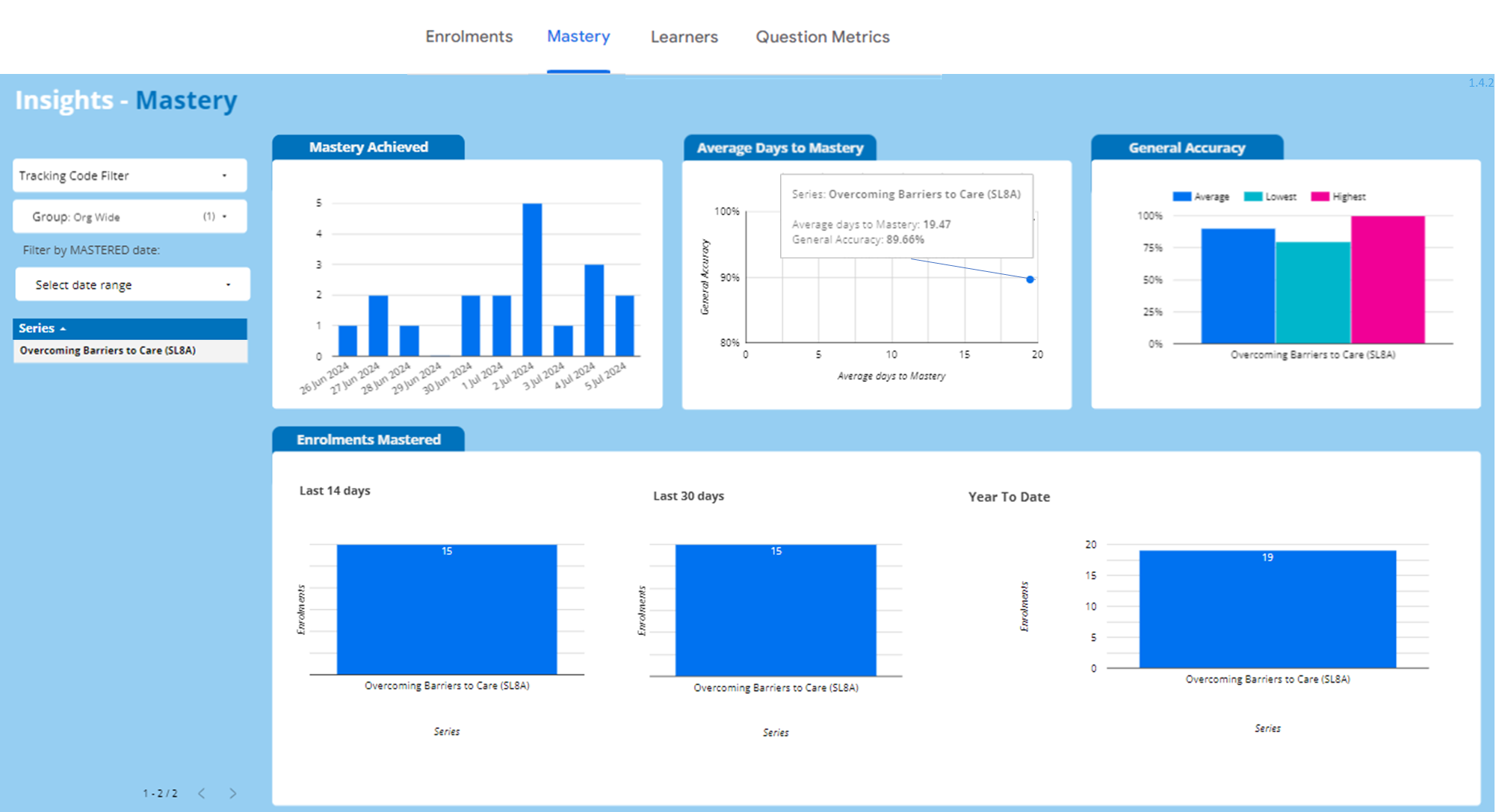
Filters and Selectors
Tracking Code Filter - shows a list of tracking codes that can be used to filter the results
Group Filter - The selected Group will filter the enrolments to show only those that match
Mastered Date Filter - select a specific date range to filter the results based on the mastered date
Series - shows the title of the series that learners have been enrolled in, selecting a series in the list will filter the results to that series only
Main Content
Mastery Achieved Chart - shows the number of learners that have achieved mastery on a particular day. Hover-over each day to see the exact number.
Average Days to Mastery Chart - shows the average number of days that it took learners to achieve mastery for each series. Hover-over a circle to see the Series and specific values for:
- Average Days to Mastery - calculated based on the date that learners first answered a question until they master the series.
- General Accuracy - represents the median value which is the middle value in a list of numbers, when they are arranged in order from smallest to largest.
General Accuracy Chart - shows the average, lowest and highest values for accuracy for the selected series. Hover-over each item to see the exact number. The average value is calculated by summing of all values and dividing by the total number of values.
Enrolments Mastered Charts - shows the total number of enrolments for series that were mastered in the last 14 days, 30 days and year to date. This chart is not impacted by applied filters.
✅ Select a series to apply filtering and select the same series again to clear the series filter
✅ Use Insights Filters by select a Tracking Code to remove or add to the list or select Only to show stats for only this Tracking Code. Select the [-] Tracking Code Filter to reselect all Tracking Codes
⚠️ Preview enrolments cannot be mastered and will appear in Insights Reports