![FMN_logo_2024.png]](https://support.forgetmenot.chat/hs-fs/hubfs/FMN_logo_2024.png?height=40&name=FMN_logo_2024.png)
This is an example of how to utilise Resource Collections in Forget Me Not® to help provide external content, such as eLearns or standards frameworks, to your staff for easy access, that is available outside of any enrolments.
Prerequisites
In order to set up this scenario there are a few prerequisites that you will need.
- One or more Groups with relevant staff added as members
- External content such as Dept of Health and Aged Care Support at Home provider training as either links to existing websites or as PDF documents
- Create content as separate resources
✅ If you need learners to view the resources in a particular order then it's recommended to include a number or letter sequencer in the resource title
Setup
- Create a Resource Collection e.g. 'Support at Home provider training'
- Add the Resources into the collection
For example;- Support at Home 1. Program Overview (30 mins)
- Support at Home 2. Assessment process and service delivery (30 mins)
- Support at Home 3. Service agreement, care plan and budget planning (30 mins)
- Support at Home 4. Short-term pathways (30 mins)
- Support at Home 5. Claiming and payment arrangements (30 mins) (coming soon)
- Link the relevant groups to the Resource Collection
- Have a staff member check the Organisation Resources in the Learner App or Learner Web
✅ The above are examples of the types of external resources that might be used in a your organisation, any content that can be created as a resource can be used when creating collections
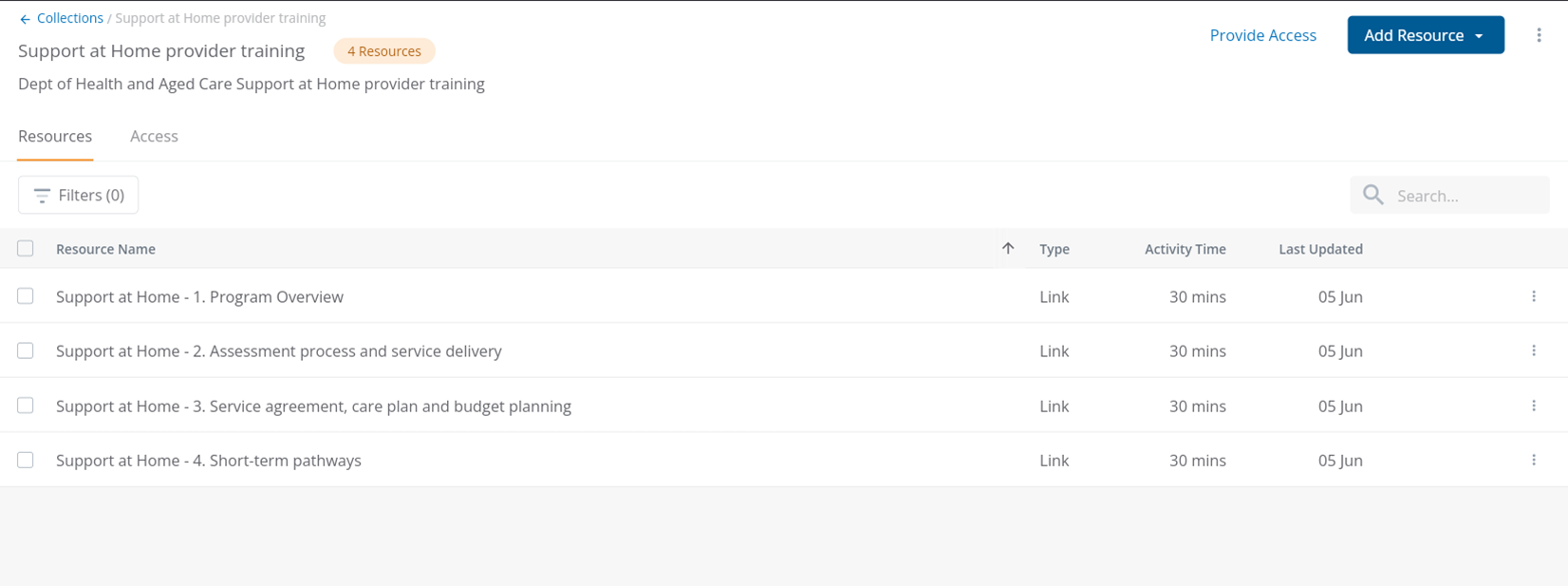
Resource Collection in management console
Example of how the Resource Collection would like when created in the management console
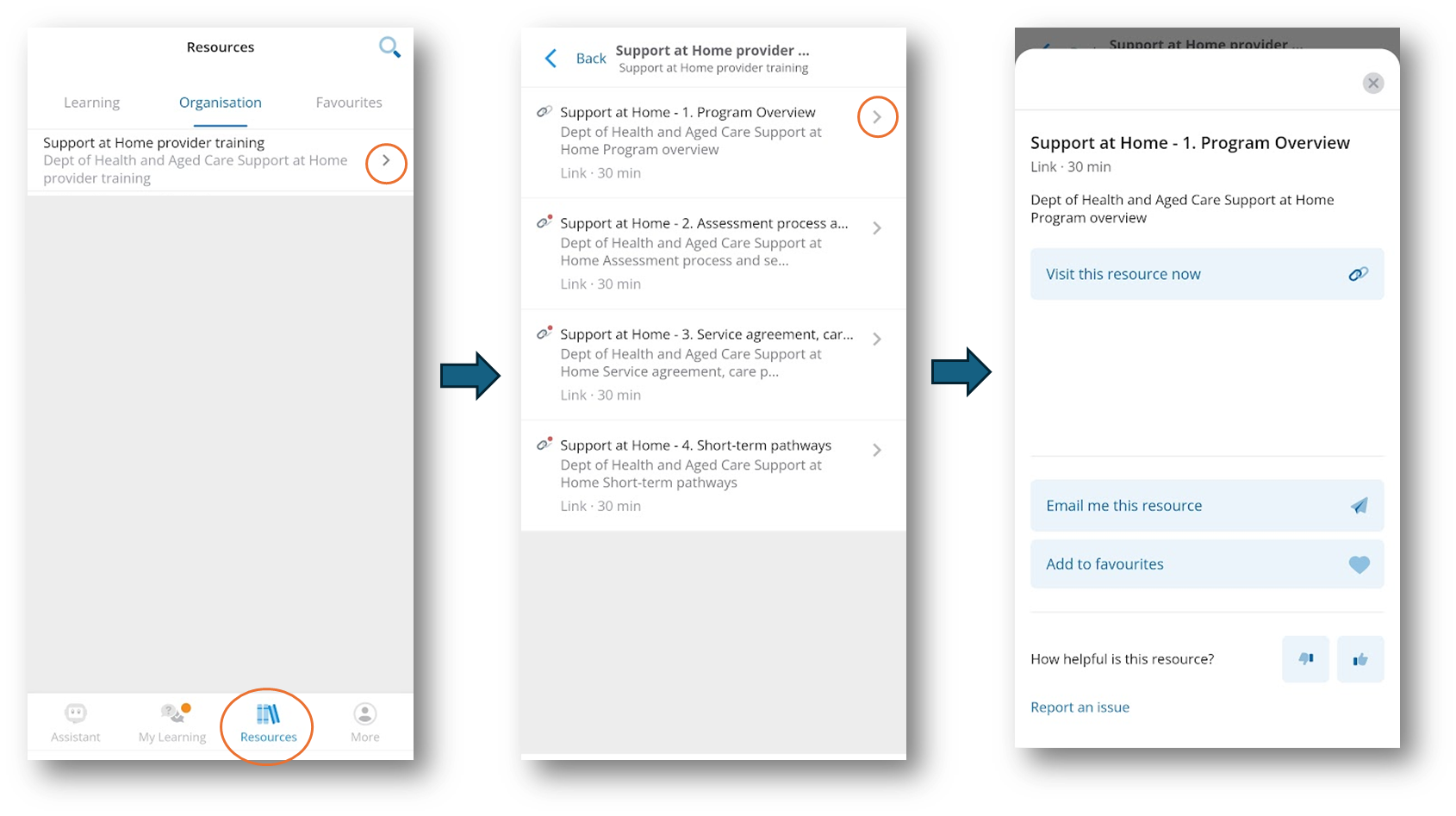
Resource Collections in Learner App
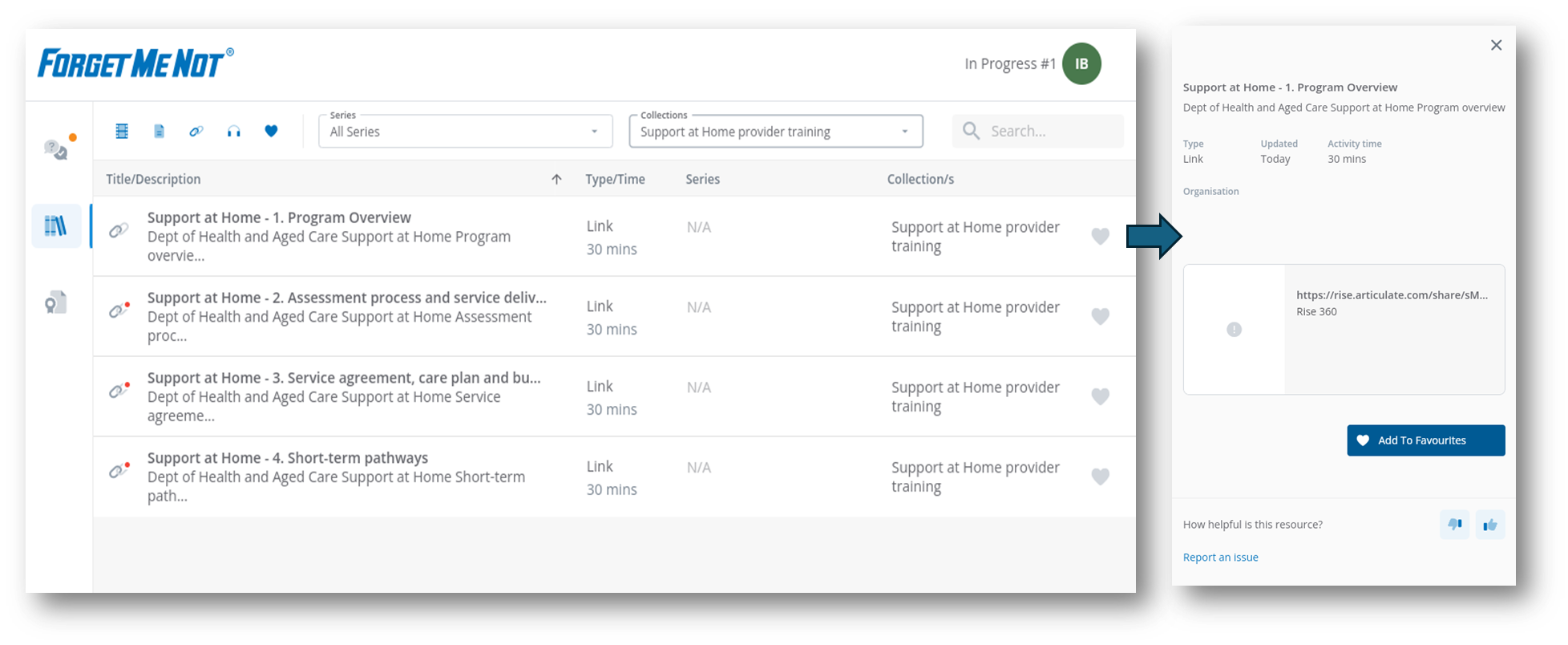
Example of how the learner would see the organisational resource collection
Resource Collections in Learner Web
Example of how the learner would see the organisational resource collection