![FMN_logo_2024.png]](https://support.forgetmenot.chat/hs-fs/hubfs/FMN_logo_2024.png?height=40&name=FMN_logo_2024.png)
The bulk action menu is displayed in the user list when multiple users are selected. The menu appears on the menu bar, along with the selection counter, only when multiple users are selected at the same time.
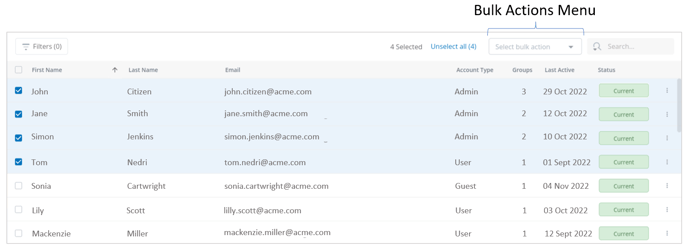
Possible actions for the user list are provided from the selection menu.
The following bulk actions options are possible when multiple users are selected.
| User List Tab | Bulk Actions | Reference |
|
Active Users |
|
|
| Deactivated Users |
|
|
| All Users |
|
~ only when active users selected |