![FMN_logo_2024.png]](https://support.forgetmenot.chat/hs-fs/hubfs/FMN_logo_2024.png?height=40&name=FMN_logo_2024.png)
When content blocks are added and media content applied, it is displayed in the Question Previewer. This provides a visual check of the content block ordering and also allows for a check of the content format.
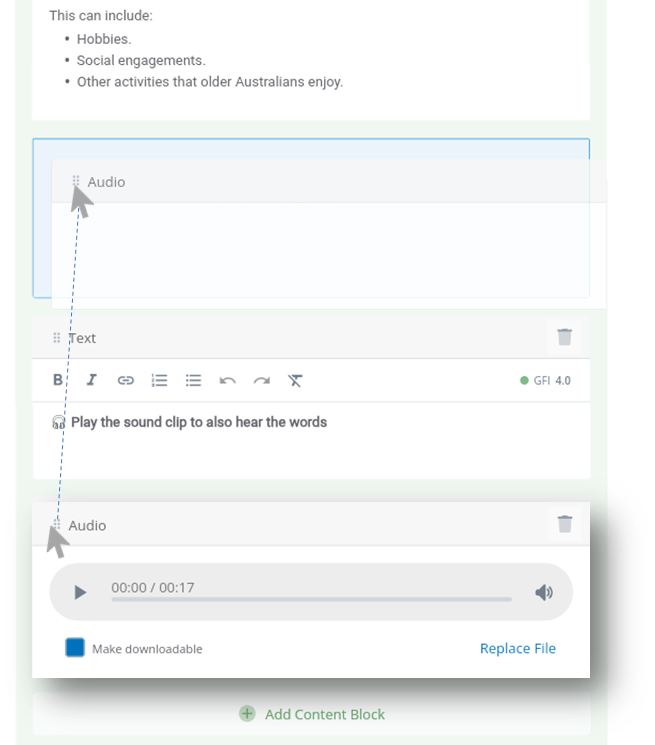
As content blocks are added in a sequential order and sometimes this order needs to be arranged in a different order. This can be done using a drag-and-drop action directly within the Question Builder.
Watch this video clip to see how it's done or follow the step by step instructions.
Arranging Content Blocks
- Open a Question Set draft in Edit Mode.
- Select the Question # where the content needs to be arranged.
- Go to the content block that needs to be moved and click and hold the drag handle
 .
. - Drag the block to the desired location until the blue bounding box appears.
- Drop the content block at this location.