![FMN_logo_2024.png]](https://support.forgetmenot.chat/hs-fs/hubfs/FMN_logo_2024.png?height=40&name=FMN_logo_2024.png)
Series enrolments is a two step process that allows one or more users to be selected and then have enrolment options applied, prior to creating the enrolment.
Step 1 - Selecting Users
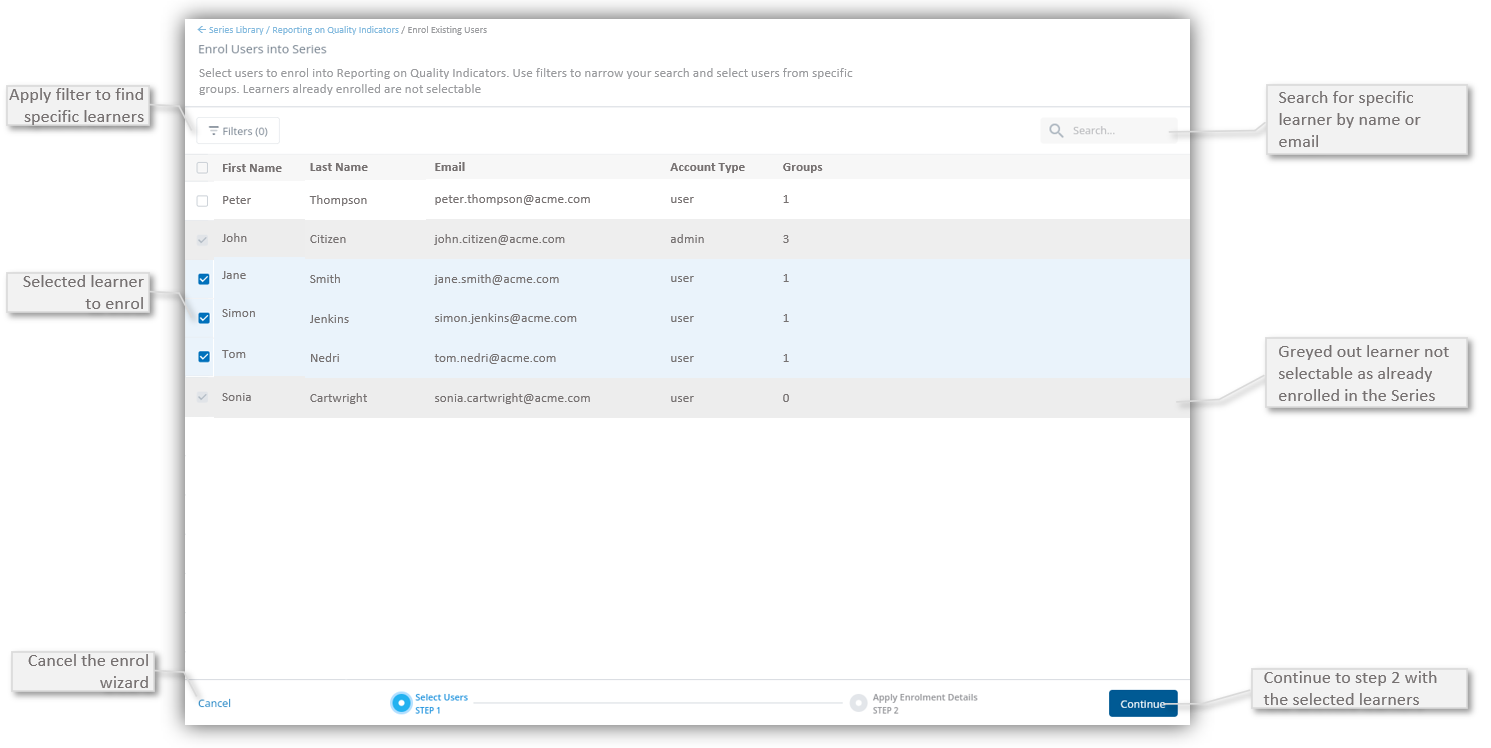
Users can be selected by any of the possible methods:
- Scroll and find the users in the list
- Search by user first/last name or email address
- Bulk Search for a number of learners using a list of email addresses
- Use the Account Type Enrolment Filter to find a user by Account Type
- Use the Group Enrolment Filter to find a user by Group Membership
⚠️ Users that are already enrolled in the Series will be greyed out and cannot be selected
✅ It's recommended to use the Account Type Filter to remove Admins and Team Managers from the enrolment list as typically these users are not enrolled
▶️ Once all users are selected, select Continue to move to next step or select Cancel to close the enrolment wizard
Step 2 - Apply Enrolment Details
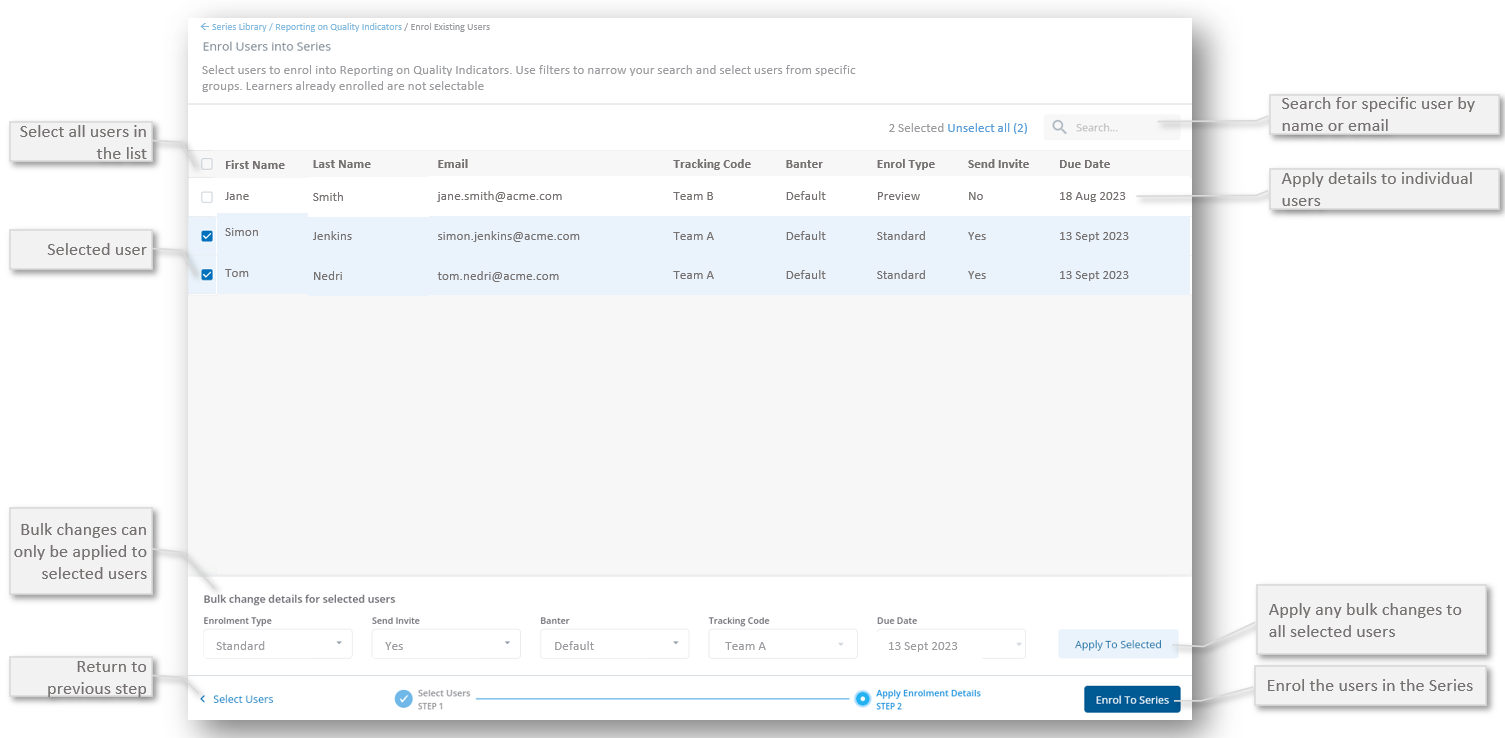
Enrolment Details can be applied in one of the following ways:
-
Applied to individual users
- Applied to all selected users
Applied to Individual Users
-
Different enrolment options can be applied directly to the individual user records by adjusting the values directly in the fields for each of the listed users
- This is the best way to set different values for each of the listed users
Applied to all Selected Users
- Bulk detail changes can be applied to all selected users, by adjusting the values in the bulk change area and then selecting Apply to Selected
- The bulk changes will be updated in the list for all selected users
- This is the best way to set the same values for all of the selected users
▶️ Once all enrolment details are applied, select Enrol to Series to process the enrolments
⚠️ If you need to add more users to the enrolment, use Select User to return to the previous screen, add the user and then return back to process the enrolments
Series Enrolment Options
Series enrolment options are set at the time the enrollment is created and they determine the type of enrolment, if the learner gets sent the enrolment invite, the expected due date for the enrolment and can also include other key details.