![FMN_logo_2024.png]](https://support.forgetmenot.chat/hs-fs/hubfs/FMN_logo_2024.png?height=40&name=FMN_logo_2024.png)
Sometimes it might be necessary to search for a large number of users in one of the user based lists available in the console. This could be useful when checking user details against other systems in your organisation or when adding multiple users to a group.
✅ Standard search only allows for 1 keyword to be used in the search box so use Bulk Search to find multiple matching users
Where is bulk search available
The following functions provide bulk search capabilities
- Series Enrolments List
- Enrol in a Series
- User List
- Group Membership Details
- Add User to Group
- Pathway Enrolment Details List
How to use bulk search
- Navigate to one of the listed functions.
- Select the bulk search icon
 and then choose Perform a bulk search.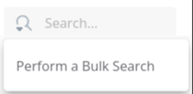
- Paste in a list of email addresses into the Bulk Search window.
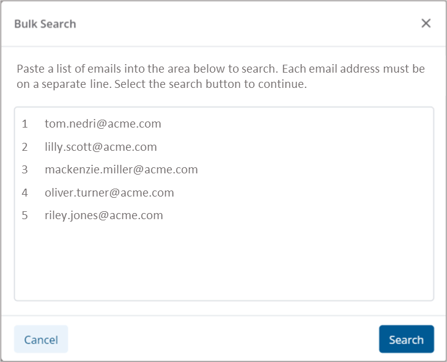
- Select Search to continue.
- The list will be filtered to show any matching entries, emails that did not match will be listed in a error message.
- Select X in the search box to clear the bulk search when done.
⚠️An error message will appear when 1 or more emails are not found in the search. Select Download List to see which emails did not match.