![FMN_logo_2024.png]](https://support.forgetmenot.chat/hs-fs/hubfs/FMN_logo_2024.png?height=40&name=FMN_logo_2024.png)
Series enrolment options are set at the time the enrollment is created and they determine the following things:
- The type of enrolment
- Who gets the enrolment invite
- The expected due date for the enrolment
- And can also include other key details.
Enrolment Type
This option determines if the learner gets the Standard delivery mode (using spaced repetition), Burst Mode or if a special Preview mode is used.
Send Invite
- Yes - indicates that the Learner will be sent the Enrolment Invite. This is enabled by default and in most cases should be enabled. Only disable if you plan to communicate the enrolment via a 3rd party system e.g. SMS platform or in person
- No - indicates that the enrolment details will be sent to the logged in Console Admin User and not to the learner
Banter
- The default banter set is always applied unless a custom banter set is selected
- Custom banter sets, can be created to provide an organisation or series-specific voice to the chat function. Contact our Sales Team to discuss creating custom banter sets
Tracking Code
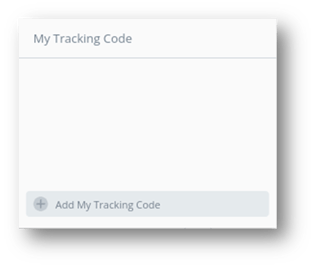
Tracking Codes are used to identify the enrolment and must be applied at the time the enrolment is created. They can be used in the Enrolments List and Insights Reports to filter on specific enrolments.
- Select an existing code - Start to type and then select Tracking Code from the list of existing items
- Create a new code - Type the complete new code and select Add Tracking Code
Due Date
A due date can be applied to each learner enrolment to help specify the desired completion date which may be earlier than the enrolment end date. A due date can be applied to all enrolment duration types although they are best used with Until Mastered Series as these Series will last 12 months from the enrolment date, and by applying a different Due Date, this can help indicate to the Learner when to try and finish by and for the Console Admin when to follow up with learners, who have have not mastered the series and are passed this date.
✅ The default due date is set to the enrolment end date and can be adjusted for each learner before the enrolment is processed
⚠️ Due dates can't be changed once the enrolment is processed even if the enrolment is extended