![FMN_logo_2024.png]](https://support.forgetmenot.chat/hs-fs/hubfs/FMN_logo_2024.png?height=40&name=FMN_logo_2024.png)
The Question Builder has two different types that can be selected as part of the Question Set Details when a question set is first created.
- Goto Question Studio and create a new Question Set.
- Select the Question Set Type dropdown to see the options.
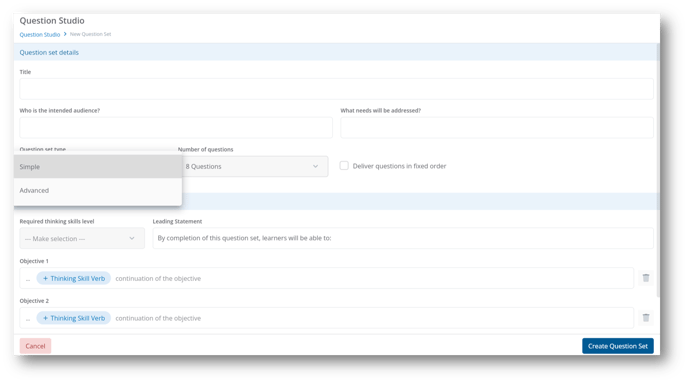
Each type is based on specific rules and structures, so it's important to understand the differences before creating a new Question Set.
⚠️ If Advanced is selected, then once saved there is no way to change to a Simple type
✅ You can change a Simple set into an Advanced set at any time by changing the set type