![FMN_logo_2024.png]](https://support.forgetmenot.chat/hs-fs/hubfs/FMN_logo_2024.png?height=40&name=FMN_logo_2024.png)
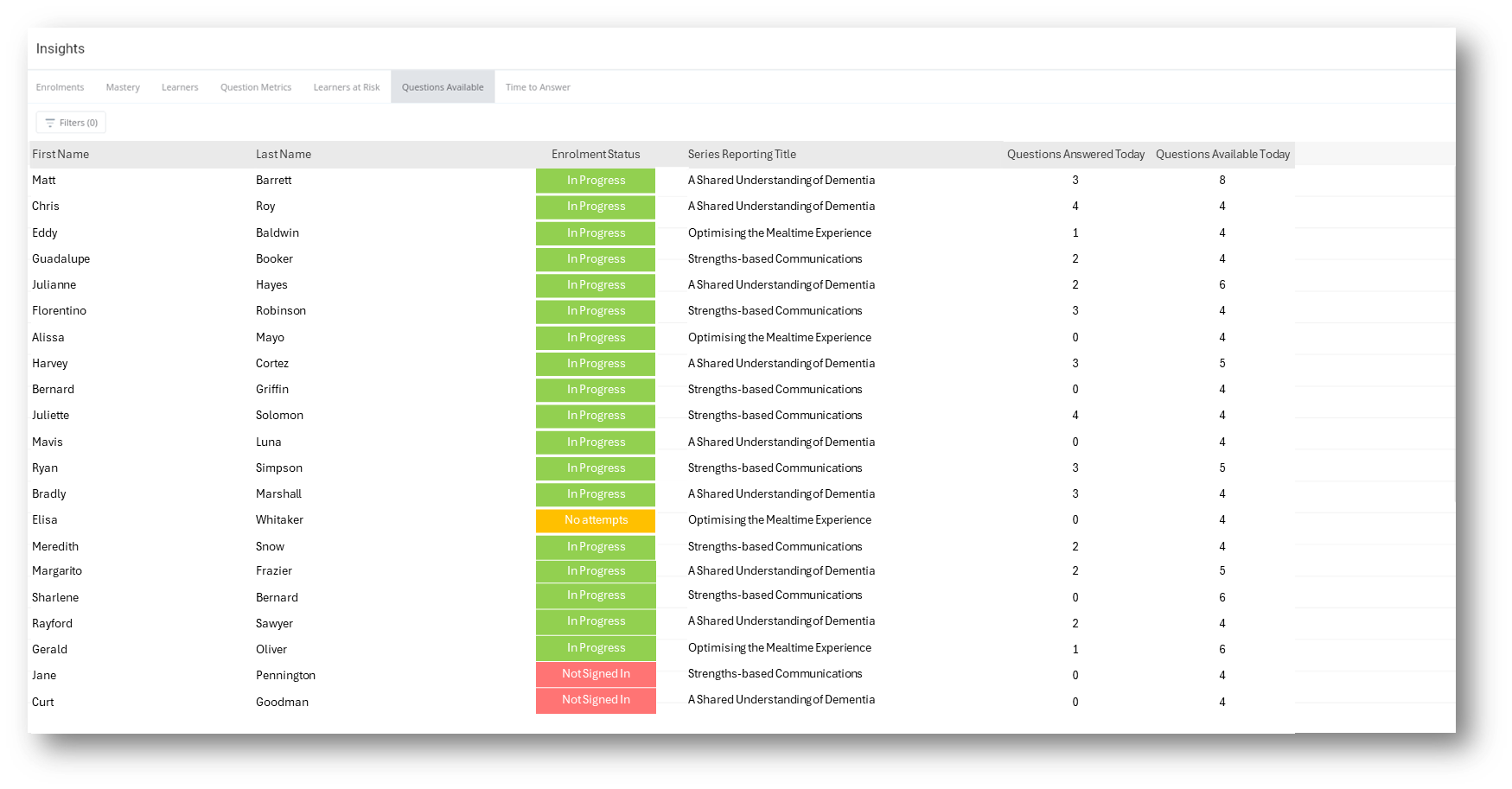
▶️ Select Insights then select Questions Available using the View Selector on the Insights Reports to show a list of learners and the number of available questions for each active enrolment in a series or pathway
Questions Available Report
The questions available report shows only learners with active enrolments and details of available questions. The first number shows a count of the number of questions available to answer in the session and the 2nd number shows the total available in the session. This is a great way to see if a learner needs a reminder to answer if they have new questions available to answer and haven't been active for some time.
Details
Questions Answered today - this indicates the number of questions that have been answered in the current session.
Questions Available today - this indicates the number of questions available to answer in the current session.
✅ Note: A session refers to the daily questions presented to a learner and is based on questions per day value, the timing of previous answers, if there have been days off and the stage of questions released in the series.
Refer to understanding how questions are delivered to learners
✅ Select a column heading to sort in ascending order, select again to sort in descending order
⚠️ Reports show all enrolments except for any where Series Preview mode was selected during the enrolment