![FMN_logo_2024.png]](https://support.forgetmenot.chat/hs-fs/hubfs/FMN_logo_2024.png?height=40&name=FMN_logo_2024.png)
✅ Invited users are those people that have been invited to your organisation and sent this welcome email and have not yet signed in.
Welcome Email
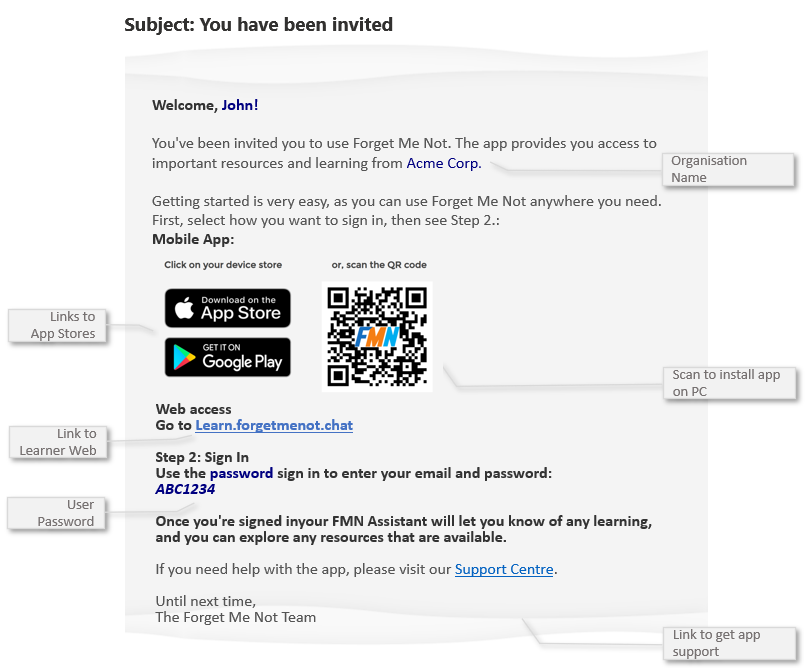
When a user is invited to your organisation and the option to send the invite with password / Send Welcome Email has been selected, they will receive a welcome email.
The welcome email contains a link to access Learner Web along with App Store links, QR Code and a generated password.
⚠️ Users will only receive this invite if Send Invite & Password to User was selected during the create single user process or if Send Welcome was selected during the create multiple user process
✅ If users can only access email on their computer then scanning the QR Code with their phone will take them to the app store directly no matter which device they have