![FMN_logo_2024.png]](https://support.forgetmenot.chat/hs-fs/hubfs/FMN_logo_2024.png?height=40&name=FMN_logo_2024.png)
Series Enrolment Status
The Series Enrolment status is shown on the Series card in the Series Library and the Series Overview, it indicates the ready state of the Series.
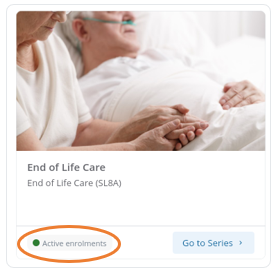
- Active Enrolments - indicates that the Series has learners with active enrolments
- No Active Enrolments - indicates that the Series had previously active enrolments however they have either mastered the Series or the enrolments have expired or been withdrawn
- Ready for Enrolments - indicates that the Series is newly created and is ready for enrolments.
Learner Enrolment Status (Summary)
The Learner Enrolment Status (Summary) is shown in the Enrolments tab and it indicates the summary of engagement state for a learner enrolled in the series. It summaries if the learner has failed to start the enrolment, is currently in progress, has expired, has already mastered or has been withdrawn from the series.
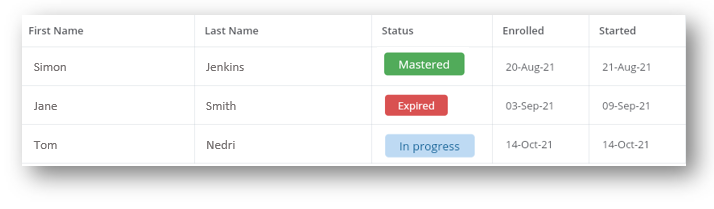
⚠️changes to a Learner Enrolment Status can affect the overall Series Enrolment Status.
Learner Enrolment Status (Detailed)
The Learner Enrolment Status (Detailed) is shown in the Learner Insights Report and it indicates the detailed state of engagement for the learner in the series enrolment. It indicates why the learner has failed to start the enrolment, where the learner has progressed, why the learner has expired, if they have mastered the series or if they have been withdrawn from the series.
- Not Signed in
- No Questions Seen
- No Questions Attempted
- In Progress
- Mastered
- Expired (last status)
Learner Onboarding Status
The Learner Onboarding Invite Status is shown in the Learner Insights Report and it tracks the status of onboarding invites for new learners and indicates a general 'onboarded' state for any existing learners.
- Invite email received - the learner has been sent the enrolment email and the email system has acknowledged receipt
- Invite email opened - the learner has opened the email and the email system has sent back an open notification*
- Onboarding Complete - the learner has successfully installed the FMN app and signed in. Their device is registered and time zone updated to match their phone's local settings
- Invite Not Tracked - the learner's email systems are not enabled to send back tracking information
Learner Invite Status
The Learner Invite Status is shown in the Advanced Enrolments List and it tracks the status of invite emails sent to learners.
-
- Sent - the learner has been sent the enrolment email
- Delivered - the user's email system has acknowledged receipt of the enrolment invite email*
- Opened - the learner has opened the email and the user's email system has sent back an opened notification*
- Clicked - the learner has clicked on a link in the email such as the app install link or a support link
- Bounced - user's email system has returned a failure notification which can indicate a bad email address or that the email account doesn't exist
- To admin - the enrolment was not sent to the user but instead sent to the console admin who processed the enrolment
⚠️Notifications are only returned and shown if the user's email system is configured to send back receipt notifications. This configuration is based on individual organisations