![FMN_logo_2024.png]](https://support.forgetmenot.chat/hs-fs/hubfs/FMN_logo_2024.png?height=40&name=FMN_logo_2024.png)
▶️ Goto Insights to view the different reports available. Most Insights views are defined by typical zones View Selector, Filters, Series Selector, and Charts or Tables
Use Insights Reporting to review the detailed statistics for all enrolments except those that use preview mode. On any report you can also narrow down the results by filtering on specific criteria.
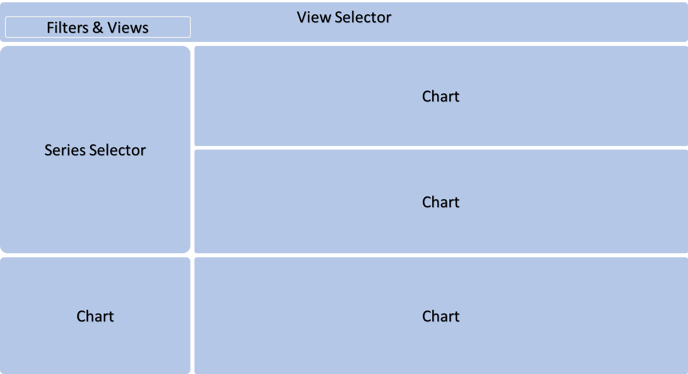
View Selector
Use the View Selector to change between the different report views:
- Enrolments Report (default view)
- Mastery Report
- Learners Report
- Question Metrics Report
- Learners at Risk Report
- Questions Available Report
- Time to Answer Report
Filters and Subviews
Use the Filters to show only specific content or also select between different subviews on selected reports
Series Selector
Use the Series Selector to show results for one or more selected Series
Charts
Various charts and tables are used to display enrolment data and statistics, by default are based on all enrolments. The charts will be automatically updated based on filters and series selections.
Check out this click-through video that showcases the Insights 2.0 and highlights the improvements over Insights 1.0