![FMN_logo_2024.png]](https://support.forgetmenot.chat/hs-fs/hubfs/FMN_logo_2024.png?height=40&name=FMN_logo_2024.png)
Use Insights Reporting to review the detailed historical statistics for all enrolments. You can also drill down by filtering on specific data.
▶️ Most Insights views are defined by the following typical zones View Selector, Insights Report Name, Filters, Series Selector, and Main Content
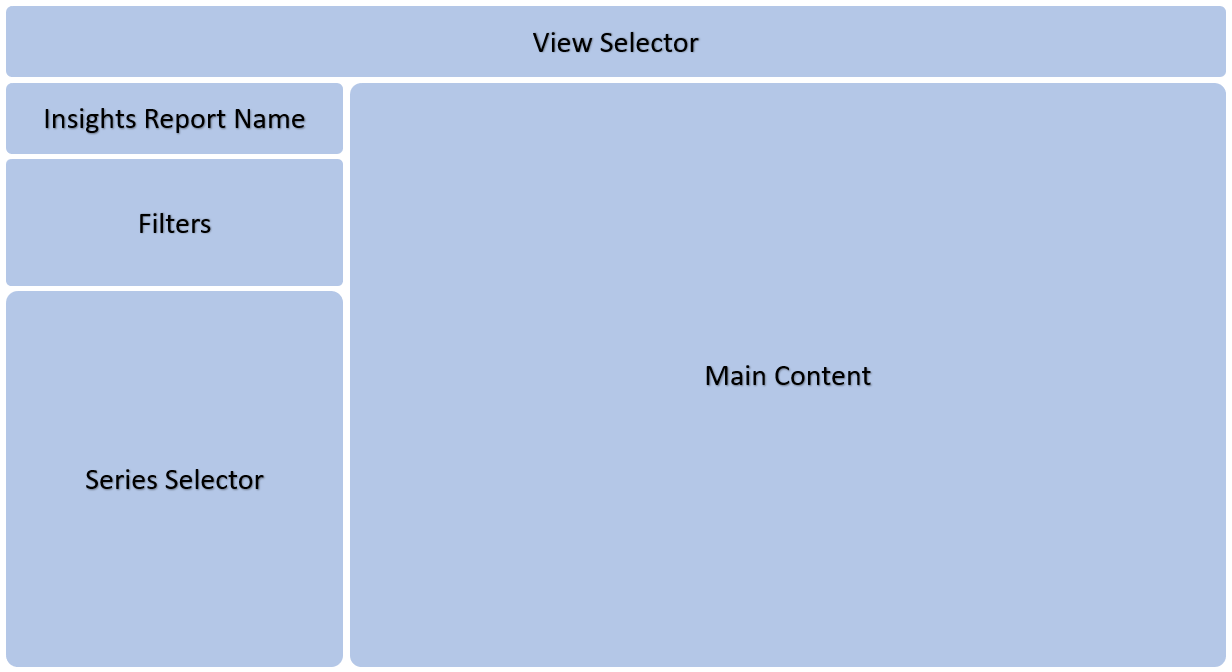
✅ Use the View Selector to change between the different views:
Enrolments*, Mastery, Learners & Question Metrics
*The Enrolments view is displayed by default
✅ Use the Filters to show only specific content
✅ Use the Series Selector to show results for one or more selected Series
✅ Selecting options in the Main Content area allows data to be exported to a file for further analysis
⚠️ Insights Reporting is historical data and is only updated twice a day. For instant updates to the Series always refer to Series Enrolments. Some views may take a few seconds to collate and display the content.
⚠️Important: Preview enrolments do not appear in Insights Reports
✅ If you want to get a PDF copy of the report, just right-click on the report background and select Download page as PDF. One or all pages can be selected for download